
The post Radio Ad Calls for Cruelty Charges in Bear Neglect Case 0:30 appeared first on PETA.
Get Loud for Animals: 4 Actions to Take on Your Phone Now!
What’s that in your hand? Is it your phone? Great! If not, you’re going to want to go get it, because we have four new, easy, phone-based actions that you can take for animals today.
1. Animals are not ours to experiment on, eat, wear, use for entertainment, or abuse in any other way. These six free ringtones will remind everyone around you of that fact every time your phone rings.
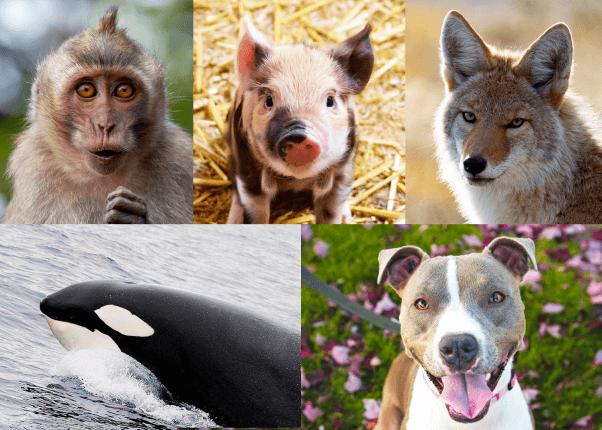
Adopt, don’t shop:
Animals are friends not food:
Go vegan:
Meat is murder. Go vegan:
There is no excuse for animal abuse:
Wear fake for the animals’ sake:
Speak up for animal rights with these ringtones:
Download Free PETA Ringtones for iPhone
Download Free PETA Ringtones for Android
2. Sign up to get text messages from us! PETA’s text-in advocacy program is the fastest, easiest way to help animals. You can take action for animals by texting a single word or even letter—anywhere, anytime. Once you’ve enrolled, we’ll text you when we need you to take action for animals. 
Available to mobile users in the United States.
By submitting this form, you are agreeing to our collection, storage, use, and disclosure of your personal info in accordance with our privacy policy as well as to receiving e-mails from us.
BONUS: Want vegan recipes texted to you every “Foodie Friday”? Text VEGAN to 73822 to sign up for those!*

*Message and data rates may apply. U.S. only. Text STOP to end and HELP for info. Periodic messaging. Full terms are available at: http://peta.vg/txt.
3. Look, we get it. You want to do as much as you can to help animals, but life is always so hectic. However, animals need us to take advantage of every opportunity to speak up for their rights. So PETA came up with a fast, easy way for anyone with an iPhone or iPad to help animals—with an app!
Get the Free PETA App From the App Store
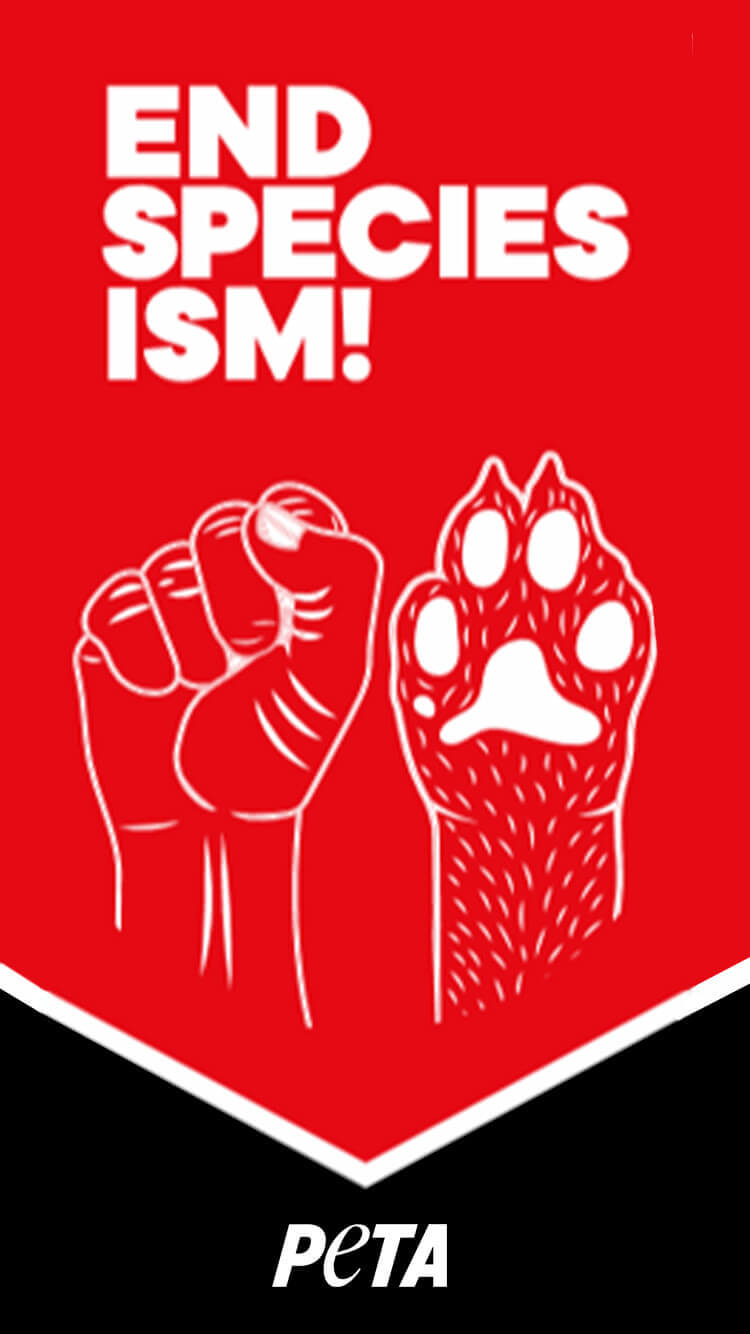
4. Change your phone wallpaper to one that reflects your passion for animal rights. Taking small actions in our everyday lives can create huge, positive change for animals—and seeing a thought-provoking phone background could really help you get inspired. Download one of these free phone wallpapers to help #EndSpeciesism.
Speciesism Isn’t Cool—but These FREE Phone Wallpapers Are
Grab More PETA Animal Rights Phone Wallpapers

The post Get Loud for Animals: 4 Actions to Take on Your Phone Now! appeared first on PETA.
Download Free PETA Ringtones for Android
Instructions
- On your Android phone, click this button to download the ringtone files:
Download PETA Ringtones for Android
- Open “Settings.”
- Click on “Ringtone.”
- Click the “+” in the upper-right corner.
- Choose the PETA ringtone that you’d like to use.
Now you can get loud for animals every time your phone rings!
The post Download Free PETA Ringtones for Android appeared first on PETA.
Download Free PETA Ringtones for iPhone
Instructions
- On your computer, click this button to download the ringtone .zip file:
Download PETA Ringtones for iPhone
- Double-click the downloaded .zip file named “PETA-Ringtones-for-iPhone” to unzip it. You can find this in your browser downloads, on your desktop, in your “Downloads” folder, or in the location where your files usually download to. After double-clicking it, there will be a new folder with the same name in the same location.
- Plug your iPhone into your computer’s USB port with your charging cable (Lightning-to-USB cable).
- Unlock your iPhone, and if your phone prompts you, give it permission to trust your computer.
If you have a Mac:
- Open “Finder” on your computer, and look at the left sidebar for your iPhone to appear under “Locations.”
- Click on your iPhone under “Locations” and, only if prompted, click the “Sync” button in the center of the window. Leave this window open.
- Open the folder named “PETA-Ringtones-for-iPhone.”
- Select the ringtone files, and drag them into the Finder window. A green plus sign icon should appear on your mouse pointer as the files are over the Finder window. Release your mouse. The files won’t appear in the Finder window, but they’ll have been added to your phone.
- Continue by reading the “Then, on your iPhone” instructions below.
If you have Windows:
- Open the iTunes application on your computer.
- Click the device icon in the upper-left corner of the iTunes window. You can troubleshoot if you don’t see the icon.
- Click the arrow next to your iPhone’s name to see the “Settings” categories. Click on “Tones.” Leave this window open.
- Open the folder named “PETA-Ringtones-for-iPhone.”
- Select the ringtone files, and drag them into the “Tones” area in iTunes. Release your mouse. The files might not appear in the iTunes window, but they’ll have been added to your phone.
Then, on your iPhone, do the following:
- Open “Settings,” click on “Sounds & Haptics,” click on “Ringtone,” and scroll up to the top of the list to see your new PETA ringtones. Select one to use as your new ringtone, and then press the back icon in the upper-left corner. You’re all set!
Now you can get loud for animals every time your phone rings!
The post Download Free PETA Ringtones for iPhone appeared first on PETA.
Horses in New York Are Being Beaten to Run Faster—Take Action NOW
The post Horses in New York Are Being Beaten to Run Faster—Take Action NOW appeared first on PETA.